
|
|
|
|
Blade Pro Lesson FiveMe again.... are you tired of me yet???? By now, you should have a pretty good handle on navigating the Blade Pro interface, and how the environments and textures work, the bevel shapes, and the presets Now let's take a look at some of the sliders, these finetune your settings (in some ways it's not fine tuning, it's major adjustment!) Once again, our familiar Blade Pro interface with the numerals, for your perusing pleasure -
|
|
|
Texture slider (slider #14) - This slider controls the
height or depth of the texture that you picked for button #3 Texture slider #14, on the other hand, controls how that texture bitmap is applied in relation to it's height off the image. Push the slider all the way to the left and the texture will be indented into the image, push it all the way to the right and the texture will raise off the image. Set the slider at 0 and you will probably see no texture at all, because you are telling Blade Pro to make the texture the same height as the image. Get it?
Gloss slider (slider #15) -
To be honest, this slider doesn't have a lot of effect most of the time. (Either that, or I haven't figure out how to apply it effectively!) The Blade Pro documentation says that lower values produce a chalky effect, and higher values produce a glossy effect. I tried every conceivable configuration on our basic gold button, had no effect whatsoever. Glare slider (slider #16) - The glare slider seems to work in conjunction with the gloss slider. Whereas the gloss slider controls the number of highlights, the glare slider controls the size of the highlights. Reflection slider (slider #17) -
This slider controls
the amount that the environment bitmap (button #4 This is one of my favorite presets, called buckled mirror. It makes a great framed border, the wider the better. Okay, enough sliders for now, go play some more, make a milk glass vase or something! |
|
|
|
|
||
|
|
|
|
Please join us at LVS Online for the best in online education. Filter Frenzy classes focus on Photoshop-compatible plugins. Xara X is taught by Ron Lacey and myself, and the rest of the 45+ classes are terrific, as well. We add new classes every session, so if we don't yet offer a class in something you want, keep watching, or better yet, email a suggestion to questions@lvsonline.com!

© Sally Beacham and Dizteq.com 1999-2002
)


 , (remember, button #2
 offers
you a choice of built in textures, none, or custom bitmaps of your choice?)
The slider on button #29
offers
you a choice of built in textures, none, or custom bitmaps of your choice?)
The slider on button #29 controls the SIZE of the texture pattern you apply, if you choose
a medium size pattern and move slider #29
controls the SIZE of the texture pattern you apply, if you choose
a medium size pattern and move slider #29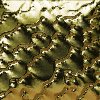 basic gold
preset with texture 1 from drop down list applied, slider #29 set at 62, slider #14 set at
-100. The texture is indented.
basic gold
preset with texture 1 from drop down list applied, slider #29 set at 62, slider #14 set at
-100. The texture is indented.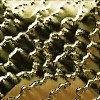 same
preset, same texture, same setting on slider #29, slider #14 set at 100. The texture
is raised.
same
preset, same texture, same setting on slider #29, slider #14 set at 100. The texture
is raised.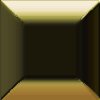 same
preset, texture, slider #29 setting, but slider #14 set at 0. No texture
visible.
same
preset, texture, slider #29 setting, but slider #14 set at 0. No texture
visible.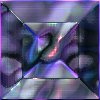 disco ice
preset, the default gloss setting is 29.
disco ice
preset, the default gloss setting is 29.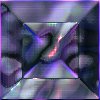 same
preset, gloss setting at 0, lost a few highlights around the edge of the bevel.
same
preset, gloss setting at 0, lost a few highlights around the edge of the bevel.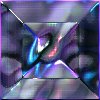 same
preset, gloss setting at 100, many more highlights on the interior surface of the bevel,
and the edges.
same
preset, gloss setting at 100, many more highlights on the interior surface of the bevel,
and the edges.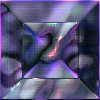 disco
ice preset, gloss setting at 100, glare setting at 0.
disco
ice preset, gloss setting at 100, glare setting at 0.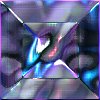 same
preset, same gloss setting, glare setting at 100. The glossy highlights have
increased in size.
same
preset, same gloss setting, glare setting at 100. The glossy highlights have
increased in size. ) is reflected on to your image. Pushing
the slider all the way to the right will result in no reflection from that graphic.
All the way to the left can result in the environment bitmap reflecting on and coloring
the image, but not always. (Too many variables to make an "always"
statement!)
) is reflected on to your image. Pushing
the slider all the way to the right will result in no reflection from that graphic.
All the way to the left can result in the environment bitmap reflecting on and coloring
the image, but not always. (Too many variables to make an "always"
statement!)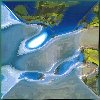 buckled
mirror preset. The default reflection setting for this is 100. This image was
a white background.
buckled
mirror preset. The default reflection setting for this is 100. This image was
a white background.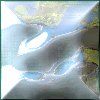 same
image, same preset, reflection setting at 50. Sorta looks like that milky
glass stuff my grandma had!
same
image, same preset, reflection setting at 50. Sorta looks like that milky
glass stuff my grandma had!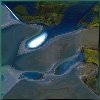 black
background, buckled mirror preset, reflection setting at 50.
black
background, buckled mirror preset, reflection setting at 50.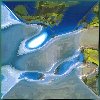 black
background, same preset, reflection setting at 100 (very similiar to first image, on white
background, but colors slightly darker on top of button.)
black
background, same preset, reflection setting at 100 (very similiar to first image, on white
background, but colors slightly darker on top of button.)