
|
|
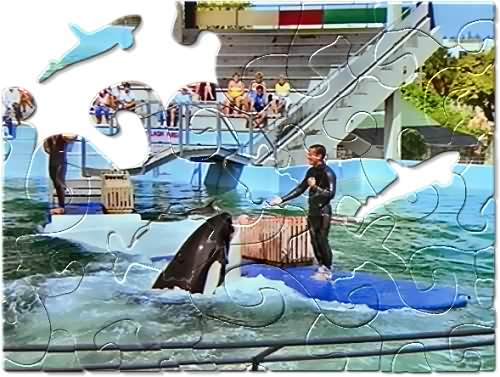
Puzzle Pieces TipsThe Stamp Mask feature in Puzzle Pieces allows you to load in custom shapes that can be used as part of the puzzle design. You can use any of the pre-created shapes, that are included with Puzzle Pieces or you can load up a shape of your own. |
|
 |
|
 |
While in Layout Mode, the Stamp Mask tool is used to place a custom mask on the puzzle layout. You can create your own by simply making a grayscale jpg file with the white area being the shape you want to use. This is also used to clone the shape into other areas of the puzzle. |
|
Once you select the Stamp Mask, this becomes accessible. You can then load your mask file and use it. |
|
This tool allows you to select individual pieces to merge or scatter into your effect. When selected, you will see a cursor that resembles the tip of a pen. Use this to draw around the area you wish to scatter or merge back. |
|
|
  
|
|
|
By Joe Cilinceon, © August 10, 2002 |
|