
|
|
Focus TipsMastering Focus is easy to do. Often times images are not properly focused on the desired subject of the image. You will find this tool indispensable for drawing attention back into the subject matter of your image. Focus MasksIt is possible to make selections on your image that define and area to be protected during the focus process. In the case of the example on this page, I created a selection of the young lady in the photo and promoted it to a new layer. We could have also just applied it to the background but would have had to save using File > Save from DreamSuite's Interface. Using the Soften Mask slider, you are able to soften the selection mask so the focus will gradually blend into the selected areas of the image. You can create as many focal ellipses behind the image mask as is required to get the effect you want. |
|
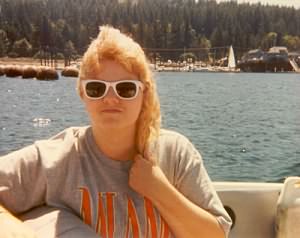 Original Image |
|
 After Focus was Applied |
|
Invert the FocusWhen the Invert checkbox is off, unchecked, when the invert checkbox is unchecked, the focus goes from the outside of the ellipse and fades inward towards the center. The outer areas are more strongly out of focus, and the inner area near the center of the ring of the ellipse remains in focus. The reverse is true when the Invert checkbox is checked. The image below shows an example is a screen shot of the ellipse used in this example. |
|
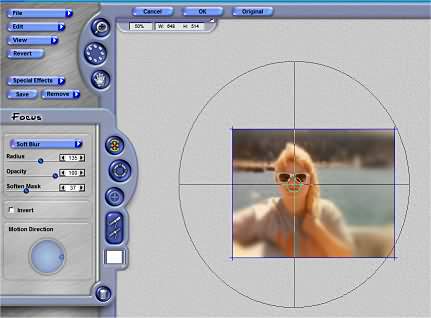 Ellipse Focus Rings |
|
  
|
|
|
By Joe Cilinceon, © August 4, 2002 |