
|
|
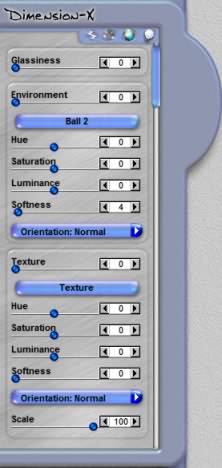
Environment ControlsThe Environment Controls allows you to add glassy reflections and textured surfaces to your artwork. The image below shows the Environment Control as the second button from the right side. Please note that the image below might be slightly different in different effects. |
|
 Effect - Surface - Environment - Lighting |
|
|
Glassiness |
|
|
Environment Environment Menu Hue Saturation |
|
Luminance Softness Surface Map Orientation Texture Texture Map Menu Scale |
|
  
|
|
|
By Joe Cilinceon, © July 24, 2002 |
|